Legacywyse

The latest updates and product improvements.

Share your estate with your attorney or CPA

Feature

Your attorney or CPA can now invite you to share your estate in Legacywyse. Once you accept, they can view your Plan progress, key dates, court forms, uploaded documents, and estate value totals from their own workspace.

Access is view-only. Individual Banking accounts, transactions, inventory items, Family Review, and SageAI conversations aren’t included in the shared workspace.

In Settings under Professional access, you can see who has access, check recent viewing activity, and remove access at any time.

Attorneys and CPAs can set up a professional profile to invite their clients.

4 days ago
Documents completed outside Legacywyse

Improvement Documents

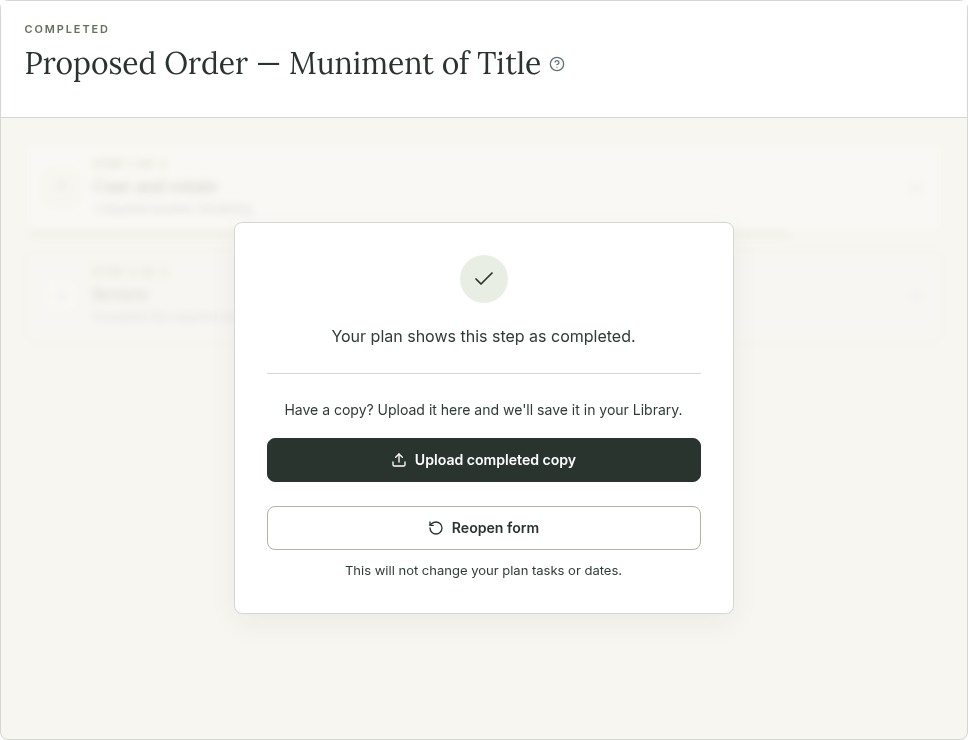
Sometimes you fill and file documents outside of Legacywyse, or you may have begun using Legacywyse when you’re already mid way through the Probate process

Now when you’ve checked off Plan tasks that have a linked document, we’ll prompt you to either upload that document in place of using our generated form, or reopen the form to access the Legacywyse version of the document as usual.

6 days ago

New deadlines and dates

Improvement

Two new deadlines when there’s a Will. Once the judge signs the order admitting the Will, you have 60 days to notify the beneficiaries, and 90 days to file an affidavit that you sent the notice. Your Plan now tracks both deadlines. Add the order date in the intake questionnaire under “Court filing and appointment dates,” or enter it when you check off the hearing task.

Missed deadlines are flagged. If a hard deadline passes and its task isn’t checked off, “Past due” appears next to the date. A deadline that can’t be dated yet tells you what it’s waiting on, such as “Add the court order date” or “After Letters issue.”

Some notice dates moved. These deadlines are counted by courts in calendar months, and now the Plan does too. In Texas, Notice to creditors and the Comptroller notice are due one month after Letters issue, and notice to secured creditors two months after. The Plan used to count 30 and 60 days, so your dates may shift by a day or two.

18 days ago

A redesigned People page

Improvement

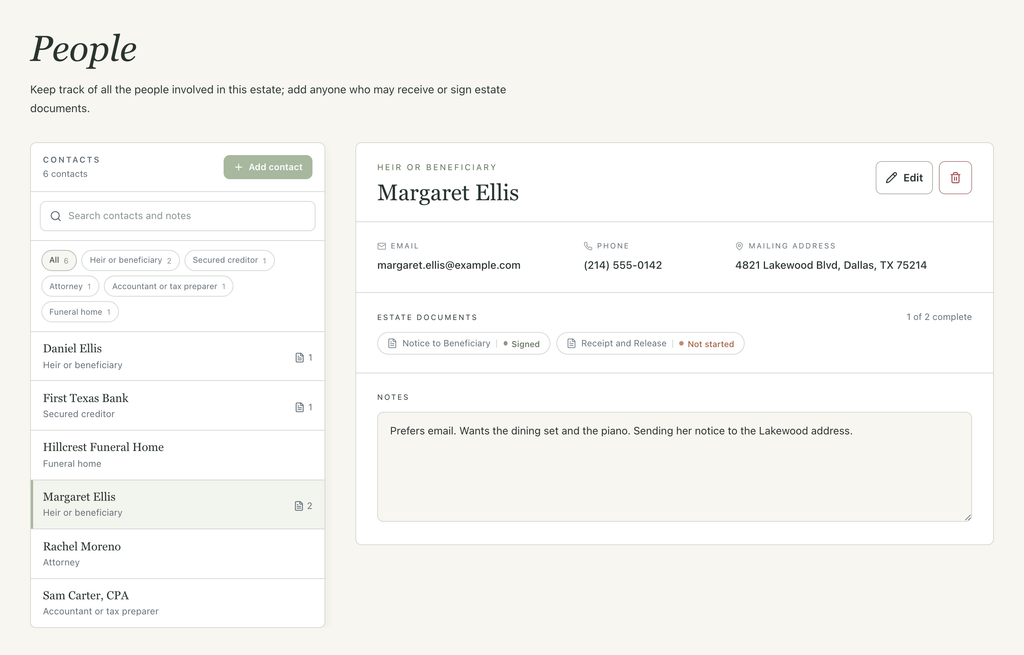
The People page has a new layout. Your contacts are listed on the left, and choosing one opens their details on the right, the same way Inventory works.

  • New contact types. Choose from Heir or beneficiary, Secured creditor, Family or friend, Attorney, Bank or financial institution, Funeral home, and more.
  • Notes. Add notes for each contact; keep track of who you spoke with, reference numbers, or what’s still pending.
  • Search and filter. Find anyone by name, email, phone, address, or a word in their notes, and filter the list by contact type.
  • Documents at a glance. Each contact’s estate documents show their status, so you can see what’s signed and what’s left.
21 days ago

Assets & Accounts is now Banking

Improvement Banking

We renamed Assets & Accounts to Banking — same workspace, clearer name. Nothing has moved: your connected accounts and transactions are exactly where you left them.

Your estate’s operating account now has its own name and a permanent home in Banking: the LegacyVault card sits alongside your financial accounts so estate money is easy to tell apart.

Subscription Scan also got faster. Scans run in the background with live progress — leave the page and come back without losing your place — you can re-scan from your results anytime, and each scan reviews the last six months of saved transactions.

The Banking workspace is currently available in limited-access to select users (as of September 18, 2026). Add your name to the waitlist from the Banking workspace for early access.

about 1 month ago
Loading more updates...